
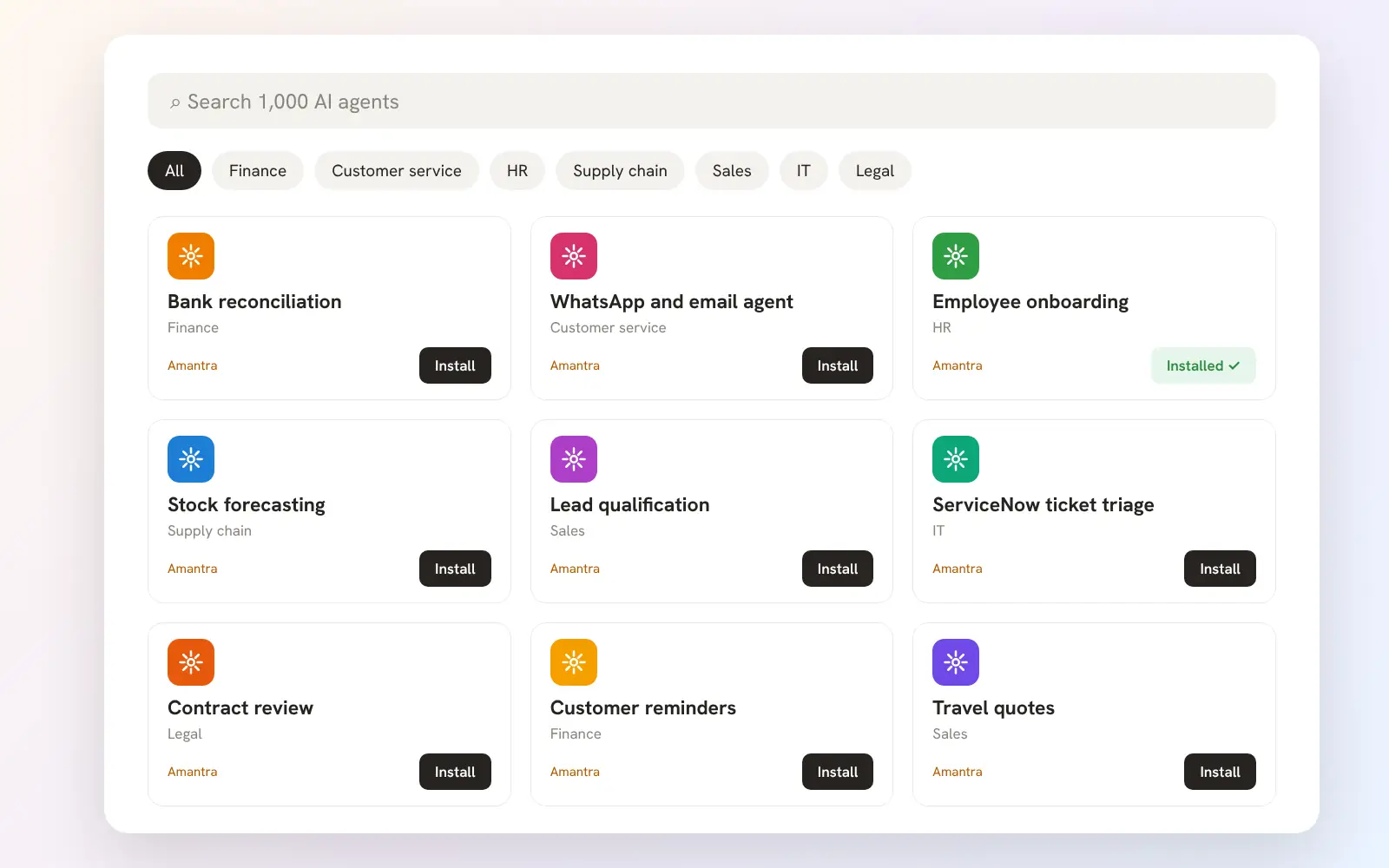
1,000 ready-to-use AI agents
Don’t start from scratch. Pick agents that are tested, governed and connected to your systems, then run them on premises with RUSH. They go live from week one.
A look inside the catalogue
50 agents shown
- Finance
Reconciliation
Matches statements, invoices and ledger entries, and flags gaps.
Deployment: approximately 2 days
What it does
It reads your bank statements, invoices and ledger, matches lines automatically and explains every remaining gap. Month-end reconciliations take hours instead of days.
Connects to
ERP (SAP, Oracle, Sage…), bank statements, spreadsheets
Human control
Gaps above your threshold go to an accountant before anything is posted.
Indicative time, depending on your systems and rules.
- Finance
Invoice matching
Three-way match of order, receipt and invoice, with exception routing.
Deployment: approximately 2 days
What it does
It checks each invoice against the purchase order and goods receipt, line by line. Matching invoices go through on their own; exceptions reach the right person with the reason.
Connects to
ERP, procurement tool, invoice inbox
Human control
You set price and quantity tolerances; beyond them, a buyer approves.
Indicative time, depending on your systems and rules.
- Finance
Accounts payable
Captures, checks and prepares supplier invoices for payment.
Deployment: approximately 2 days
What it does
It collects supplier invoices from email or PDF, extracts the data, checks VAT and bank details, then prepares payment. No more manual keying.
Connects to
ERP, email, bank
Human control
Every payment batch is approved by an authorised person before it goes to the bank.
Indicative time, depending on your systems and rules.
- Finance
Accounts receivable
Tracks receipts, chases payments and allocates cash.
Deployment: approximately 2 days
What it does
It tracks issued invoices, chases customers at the right time and in the right tone, and allocates incoming payments to the right invoices. Your days sales outstanding go down.
Connects to
ERP, CRM, email, bank
Human control
Sensitive reminders and key accounts go through your collections team.
Indicative time, depending on your systems and rules.
- Finance
Expense audit
Checks every expense claim against your policy.
Deployment: approximately 1 day
What it does
It checks every expense claim: receipt, limit, category, duplicates. Compliant claims are approved quickly; anomalies are flagged with the rule that applies.
Connects to
Expense tool, expense policy
Human control
Rejections and borderline cases are still decided by a manager or finance.
Indicative time, depending on your systems and rules.
- Finance
Month-end close
Runs the close checklist and prepares journal entries.
Deployment: approximately 3 days
What it does
It runs your close checklist, chases contributors, prepares accrual and provision entries, and tracks progress in real time.
Connects to
ERP, consolidation tool, spreadsheets
Human control
The controller approves every entry before it is posted.
Indicative time, depending on your systems and rules.
- Finance
Fraud prediction
Spots suspicious transactions before they cost you.
Deployment: approximately 3 days
What it does
It analyses transactions continuously and spots unusual behaviour: amounts, frequency, new payees. Every alert comes with its explanation.
Connects to
Payment system, ERP, transaction history
Human control
No transaction is blocked without an analyst’s decision, unless you set a rule for it.
Indicative time, depending on your systems and rules.
- Operations
Claims processing
Validates documents, checks coverage and triggers payout.
Deployment: approximately 3 days
What it does
It reads the claim documents, checks policy coverage, calculates the payout and prepares payment. Simple claims are settled in minutes.
Connects to
Claims system, document management, payment system
Human control
Complex claims or those above an amount are approved by a claims handler.
Indicative time, depending on your systems and rules.
- Operations
Compliance documentation
Produces and checks regulatory documents.
Deployment: approximately 2 days
What it does
It drafts and updates your compliance documents from your procedures, and checks they cover the applicable requirements.
Connects to
Document management, procedure library
Human control
The compliance officer reviews and signs off every document.
Indicative time, depending on your systems and rules.
- Operations
Regulatory reporting
Extracts report data and prepares filings.
Deployment: approximately 3 days
What it does
It extracts data from your systems, checks consistency and prepares regulatory filings in the required formats, with an audit trail.
Connects to
Data warehouse, ERP, business tools
Human control
Filings are approved by the owner before anything is submitted.
Indicative time, depending on your systems and rules.
- Operations
SLA monitoring
Predicts SLA breaches and reprioritises work.
Deployment: approximately 2 days
What it does
It watches tickets and service commitments, predicts breaches before they happen and reorders team priorities.
Connects to
ServiceNow or another ITSM tool, monitoring
Human control
Major priority changes are suggested to the team lead.
Indicative time, depending on your systems and rules.
- Supply chain
Demand sensing
Adjusts forecasts to live market signals.
Deployment: approximately 3 days
What it does
It adjusts your forecasts with recent signals: daily sales, weather, promotions, events. Your supply plans follow reality.
Connects to
ERP, planning tool, sales data
Human control
The planner approves adjustments beyond a variance you set.
Indicative time, depending on your systems and rules.
- Supply chain
Inventory visibility
Tracks stock across sites in real time.
Deployment: approximately 2 days
What it does
It consolidates stock across all your sites in real time and flags upcoming shortages and overstock.
Connects to
ERP, WMS, site tools
Human control
Transfers between sites are suggested, then decided by logistics.
Indicative time, depending on your systems and rules.
- Supply chain
Logistics coordination
Anticipates delays and reroutes shipments.
Deployment: approximately 3 days
What it does
It tracks shipments, anticipates delays and suggests rerouting: another carrier, warehouse or slot. It keeps affected customers informed.
Connects to
TMS, WMS, carrier portals, email
Human control
Costly changes are approved by a transport manager.
Indicative time, depending on your systems and rules.
- Supply chain
Order prioritisation
Ranks orders to cut lead times.
Deployment: approximately 2 days
What it does
It ranks orders by your rules (customer, margin, lead time, stock) to cut delays and serve what matters first.
Connects to
ERP, WMS
Human control
Priority rules are yours and can be changed at any time.
Indicative time, depending on your systems and rules.
- Sales
AI SDR
Prospects, qualifies and runs personalised outreach.
Deployment: approximately 2 days
What it does
It finds the right accounts, writes personalised messages, handles replies and books meetings for your sales team.
Connects to
CRM, email, LinkedIn, calendar
Human control
You approve targets and message templates; it never commits to a price.
Indicative time, depending on your systems and rules.
- Sales
Lead enrichment
Adds firmographics, intent signals and tech-stack data.
Deployment: approximately 1 day
What it does
It completes each lead with company size, industry, intent signals and tools in use, so your sales team prioritises better.
Connects to
CRM, B2B data sources
Human control
Added data is sourced and editable in the CRM.
Indicative time, depending on your systems and rules.
- Sales
Proposal writer
Builds proposals from your research.
Deployment: approximately 2 days
What it does
It builds your proposals from your templates, references and meeting notes. A first draft in minutes.
Connects to
CRM, document management, content library
Human control
The salesperson reviews, edits and sends; prices stay set by you.
Indicative time, depending on your systems and rules.
- Sales
Deal nurturer
Sends context-aware follow-ups and next-best actions.
Deployment: approximately 1 day
What it does
It follows each opportunity, sends follow-ups that fit the context and suggests the next step to the salesperson.
Connects to
CRM, email, calendar
Human control
Important follow-ups are drafted for the salesperson to send.
Indicative time, depending on your systems and rules.
- Sales
Sales coach
Cuts manager admin so they can coach their teams.
Deployment: approximately 1 day
What it does
It prepares pipeline reviews, summarises meetings and spots deals at risk, so managers spend their time coaching.
Connects to
CRM, calendar, video meetings
Human control
Managers stay in charge of priorities and assessments.
Indicative time, depending on your systems and rules.
- Customer service
Voice receptionist
Answers calls, routes them and books appointments.
Deployment: approximately 2 days
What it does
It answers the phone 24/7, understands the request, routes the call and books appointments in your calendars, in several languages.
Connects to
Telephony, calendars, CRM (with RUSH Pro)
Human control
Urgent or sensitive calls are transferred to a person.
Indicative time, depending on your systems and rules.
- Customer service
Support assistant
Answers customers in chat and lightens the call centre.
Deployment: approximately 1 day
What it does
It answers customer questions in chat from your knowledge base and opens a ticket when more is needed.
Connects to
Website chat, knowledge base, ticketing tool
Human control
It hands over to an adviser as soon as the customer asks.
Indicative time, depending on your systems and rules.
- Customer service
Dispute resolution
Investigates disputes and proposes a resolution.
Deployment: approximately 3 days
What it does
It gathers the evidence for a dispute (order, delivery, messages), analyses the facts and proposes a resolution in line with your rules.
Connects to
ERP, CRM, ticketing tool, email
Human control
The final decision and any goodwill gesture are approved by your team.
Indicative time, depending on your systems and rules.
- Customer service
Onboarding and KYC
Checks documents, screens lists and opens the account.
Deployment: approximately 3 days
What it does
It checks ID and supporting documents, screens sanctions lists and opens the account once everything is compliant.
Connects to
KYC tool, core banking or CRM, screening lists
Human control
Risky files are passed to a compliance analyst.
Indicative time, depending on your systems and rules.
- Customer service
Billing accuracy
Catches billing errors before invoices go out.
Deployment: approximately 2 days
What it does
It checks every invoice before it goes out: prices, discounts, quantities, contract terms. Errors are fixed before the customer sees them.
Connects to
ERP or billing tool, contracts
Human control
Corrections above an amount are approved by billing.
Indicative time, depending on your systems and rules.
- HR
Employee onboarding
Prepares accounts, documents and onboarding steps.
Deployment: approximately 2 days
What it does
From signature, it prepares accounts, access, equipment and documents, and guides the new starter through the first weeks.
Connects to
HRIS, directory, ServiceNow or ticketing tool
Human control
Sensitive access follows your approval flows.
Indicative time, depending on your systems and rules.
- HR
HR helpdesk
Answers employee questions about internal policies.
Deployment: approximately 1 day
What it does
It answers employee questions about leave, pay, benefits and internal rules, from your HR documents.
Connects to
Intranet, HR documents, HRIS
Human control
Personal or sensitive topics are passed to the HR team.
Indicative time, depending on your systems and rules.
- HR
Leave and absence
Handles leave requests and updates schedules.
Deployment: approximately 1 day
What it does
It handles leave requests, checks balances and team rules, and updates schedules.
Connects to
HRIS, scheduling tool
Human control
The manager approves requests outside the rules.
Indicative time, depending on your systems and rules.
- Procurement
Supplier onboarding
Collects and checks supplier information.
Deployment: approximately 2 days
What it does
It collects new suppliers’ information and documents, checks their validity and creates the record in your systems.
Connects to
ERP, procurement tool, verification sources
Human control
Final creation is approved by procurement.
Indicative time, depending on your systems and rules.
- Procurement
Distributor claims
Settles distributor claims faster.
Deployment: approximately 2 days
What it does
It processes distributor claims (rebates, returns, promotions), checks the evidence and calculates the amount owed.
Connects to
ERP, CRM, distributor contracts
Human control
Settlements above an amount are approved by sales.
Indicative time, depending on your systems and rules.
- Procurement
Spend analysis
Classifies spend and finds savings.
Deployment: approximately 1 day
What it does
It classifies your spend by category and supplier, spots duplicates and price differences, and sizes possible savings.
Connects to
ERP, procurement tool, payment cards
Human control
Buying decisions stay with your buyers.
Indicative time, depending on your systems and rules.
- Legal
Contract review
Compares contracts with your standard clauses and flags deviations.
Deployment: approximately 2 days
What it does
It compares each contract with your standard clauses, flags deviations and risks, and suggests fallback wording.
Connects to
Document management, clause library
Human control
The lawyer decides the positions to take and signs.
Indicative time, depending on your systems and rules.
- Legal
NDA triage
Reviews incoming non-disclosure agreements.
Deployment: approximately 1 day
What it does
It reads incoming non-disclosure agreements, clears the compliant ones and routes the rest with the points to review.
Connects to
Email, document management
Human control
Non-compliant NDAs go through legal.
Indicative time, depending on your systems and rules.
- Facilities
Resident requests
Answers owners and tenants 24/7, in their own language.
Deployment: approximately 1 day
What it does
It answers owners and tenants by phone, email or chat, 24/7 and in their own language, and logs every request.
Connects to
Property management software, email, telephony
Human control
Emergencies are passed straight to the on-call manager.
Indicative time, depending on your systems and rules.
- Facilities
Work orders
Opens the job and contacts the right contractor under your contracts.
Deployment: approximately 2 days
What it does
It opens the work order, picks the contractor named in the contract, contacts them and informs residents.
Connects to
Property management software, contractor contracts, email
Human control
Jobs outside the contract or above an amount are approved by the manager.
Indicative time, depending on your systems and rules.
- Facilities
Contractor follow-up
Chases late jobs and confirms when they are closed.
Deployment: approximately 1 day
What it does
It chases late jobs, confirms completion with residents and closes the orders.
Connects to
Property management software, email
Human control
Disputes with a contractor go to the manager.
Indicative time, depending on your systems and rules.
- Facilities
General meeting preparation
Gathers documents, resolutions and minutes.
Deployment: approximately 2 days
What it does
It gathers documents, prepares the agenda and resolutions, then drafts the minutes from the votes.
Connects to
Property management software, document management
Human control
The manager reviews and signs official documents.
Indicative time, depending on your systems and rules.
- Facilities
Maintenance contracts
Tracks renewal dates and mandatory inspections.
Deployment: approximately 1 day
What it does
It tracks maintenance contract renewals and mandatory inspections, and warns you in advance so you can plan.
Connects to
Property management software, calendars
Human control
Renewals are decided by the manager.
Indicative time, depending on your systems and rules.
- IT
Service desk triage
Qualifies and routes tickets, for example in ServiceNow.
Deployment: approximately 2 days
What it does
It reads each ticket, categorises it, sets priority and assigns it to the right group, for example in ServiceNow. It resolves routine requests on its own.
Connects to
ServiceNow or another ITSM tool, knowledge base
Human control
Major incidents always alert the team.
Indicative time, depending on your systems and rules.
- IT
Access requests
Handles access requests under your approval rules.
Deployment: approximately 2 days
What it does
It handles access requests under your rules: role check, manager approval, rights creation and traceability.
Connects to
Directory (Active Directory, Entra ID), ITSM
Human control
Privileged access always goes through human approval.
Indicative time, depending on your systems and rules.
- IT
Network provisioning
Automates network service activation.
Deployment: approximately 3 days
What it does
It automates network service activation: configuration, testing and documentation, using your templates.
Connects to
Network tools, ITSM, inventory
Human control
Production changes follow your change management process.
Indicative time, depending on your systems and rules.
- Retail
Shopper trends
Analyses purchases by store, aisle and time of day.
Deployment: approximately 2 days
What it does
It analyses purchases by store, aisle and time of day, and highlights trends useful to merchandising teams.
Connects to
Tills, ERP, loyalty data
Human control
Range decisions stay with merchandising teams.
Indicative time, depending on your systems and rules.
- Retail
Restock forecasting
Forecasts demand and suggests order quantities.
Deployment: approximately 3 days
What it does
It forecasts demand per store and suggests order quantities, taking promotions and season into account.
Connects to
ERP, tills, replenishment tool
Human control
Suggested orders are approved by the department manager or buyer.
Indicative time, depending on your systems and rules.
- Retail
Fresh produce and use-by dates
Watches use-by dates and suggests markdowns and donations to cut waste.
Deployment: approximately 2 days
What it does
It watches use-by dates on fresh products and suggests markdowns, promotion or donation before expiry, to cut waste.
Connects to
ERP, tills, labelling
Human control
Markdowns follow your pricing rules and the manager’s approval.
Indicative time, depending on your systems and rules.
- Retail
Aisle assistant
Tells staff where to restock first.
Deployment: approximately 1 day
What it does
Each morning it tells staff where to restock first, based on live sales and stock.
Connects to
Tills, ERP, staff devices
Human control
Staff stay in charge of how the store is run.
Indicative time, depending on your systems and rules.
- Travel
Travel quotes
Builds a full quote from the traveller’s request.
Deployment: approximately 2 days
What it does
It understands the traveller’s request and builds a full quote: stays, transfers and activities, with your rates and availability.
Connects to
Booking tool, supplier rates, CRM
Human control
Bespoke or off-grid quotes are approved by an adviser.
Indicative time, depending on your systems and rules.
- Travel
Experience sales
Suggests and sells hotels, tickets, activities and transfers, 24/7.
Deployment: approximately 3 days
What it does
It suggests and sells hotels, tickets, activities and transfers online, 24/7 and in several languages, in a natural conversation.
Connects to
Website, booking tool, payment, CRM
Human control
Cancellations and complaints go through your team.
Indicative time, depending on your systems and rules.
- HR
AI tutor
Trains employees on your tools and procedures, at their own pace.
Deployment: approximately 2 days
What it does
It trains employees on your tools and procedures, answers their questions and adapts exercises and quizzes to their level.
Connects to
Learning platform, internal documents
Human control
Training managers track progress and approve content.
Indicative time, depending on your systems and rules.
- HR
Employee offboarding
Removes access, collects equipment and closes accounts.
Deployment: approximately 2 days
What it does
When someone leaves, it removes access, arranges equipment return and closes accounts on the day.
Connects to
HRIS, directory, ITSM
Human control
Every step is logged for audit and visible to HR.
Indicative time, depending on your systems and rules.
- Customer service
WhatsApp and email agent
Answers customers on WhatsApp, email and website chat.
Deployment: approximately 1 day
What it does
It answers customers on WhatsApp, email and website chat, with the same context whatever the channel.
Connects to
WhatsApp Business, email, website chat, CRM
Human control
It hands over to an adviser when the request calls for it.
Indicative time, depending on your systems and rules.
How to choose
List the costly work
The repetitive tasks that take up most of your teams’ time.
Pick 5 to 10 agents
We help you choose the ones that pay back fastest.
Tune and connect
Agents learn your rules and plug into your systems.
Measure
Dashboards and an audit log to track every agent.
Frequently asked questions
Do the agents work without the cloud?
Yes. Deployed on RUSH, they run on premises with a local model. No data leaves your building.
Can we build our own agents?
Yes. Beyond the catalogue, agents can be custom-built, with no-code tools or bespoke development.
Do the agents talk to each other?
Yes. They pass work along and share context, orchestrated by PittsOS.
Find your first agents
Tell us which processes you want to automate. We will suggest a set of agents and a demo.